About gAnalyticsPro - Analytics
***************** AD FREE VERSION ***************** The only way to know whether you are doing the right job is to check the numbers, and the numbers don’t lie. gAnalytics is a great little app that simply plugs into your...
***************** AD FREE VERSION *****************
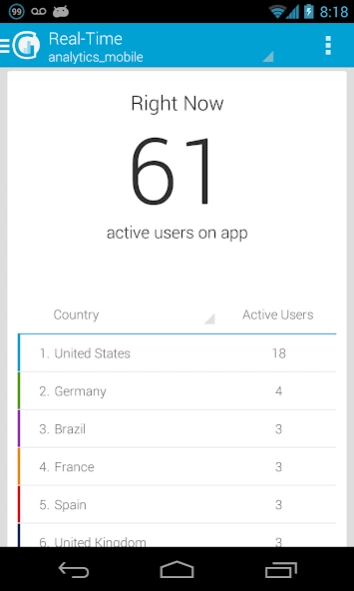
The only way to know whether you are doing the right job is to check the numbers, and the numbers don’t lie. gAnalytics is a great little app that simply plugs into your Google Analytics account and presents the numbers in a format that is easy to read and understand.
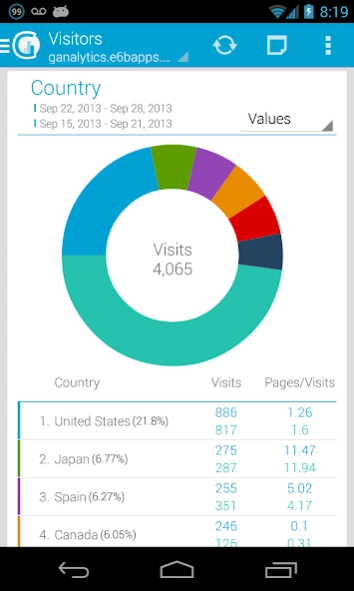
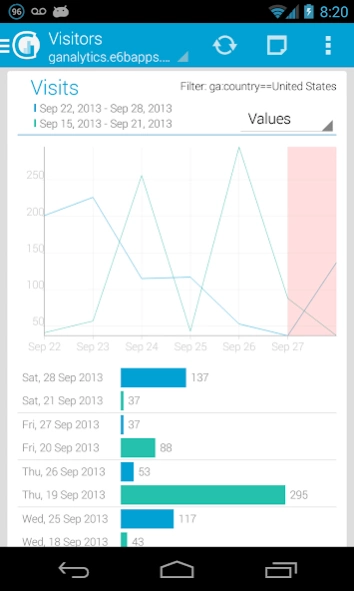
gAnalytics is by far one of the best Android Google analytics apps. With the main options as Panel, Visitors, Content, Goals and Ecommerce, you will feel so comfortable using it on an Android device. You can set the time period and find out the number of visitors, page views, bounce rate, new visits, all this data with the corresponding charts. Also you can compare your report and see it on the charts too. It supports multiple profiles and multiple accounts.
Join to our Tester community :
https://plus.google.com/communities/101407165223123949681
languages: english, spanish, french, dutch, german, russian, italian, japanese
Google Analytics and Google Play are trademarks of Google Inc.
Previous Versions
Here you can find the changelog of gAnalyticsPro - Analytics since it was posted on our website on 2014-06-13 19:44:52.
The latest version is and it was updated on 2024-04-28 01:21:58. See below the changes in each version.
gAnalyticsPro - Analytics version
Updated At: 2017-12-22
Changes: Fix small issues
gAnalyticsPro - Analytics version 3.5.3
Updated At: 2015-11-02
Changes: Version 3.0,Fix login issue
gAnalyticsPro - Analytics version 1.5.7
Updated At: 2013-06-03
Changes: Several fixes and updates
Disclaimer
Official Google Play Link
We do not host gAnalyticsPro - Analytics on our servers. We did not scan it for viruses, adware, spyware or other type of malware. This app is hosted by Google and passed their terms and conditions to be listed there. We recommend caution when installing it.
The Google Play link for gAnalyticsPro - Analytics is provided to you by apps112.com without any warranties, representations or guarantees of any kind, so access it at your own risk.
If you have questions regarding this particular app contact the publisher directly. For questions about the functionalities of apps112.com contact us.